Shaders: Converting from screen space to texture coordinates
As much as I tried to avoid using shaders in this project, there is no way around it anymore. I wanted to add some nice shaders to the floor and possibly ceiling, so I had to implement them. First place I looked was of course the Three.js documentation page. This ShaderMaterial allows you to use a shaders as a material. — wow! —
This would be the starting point to add shaders, now I needed to actually find some shaders. I looked back to one of my earlier projects where I modified and wrote my own shaders. That project also used Three.js and I had written a nice function to import a vertex and fragment shader per object.
Quick recap in case you forgot or didn't know:
- A vertex shader is a shader that modifies vertecies, aka the 'points' of your geometry.
- A fragment shader is what defines/modifies the color values per pixel.
Both of these run on your GPU and are (usually) written in GLSL aka WebGL Shader Language.
I found some cool shaders on the glsl sandbox, shadertoy, and also this one on GitHub that emulates a bad tv. (Github source)
Converting from Screen Space to Texture Coordinates #
I tried out the ShaderMaterial with the shader I found on the glsl sandbox which looked something like this.
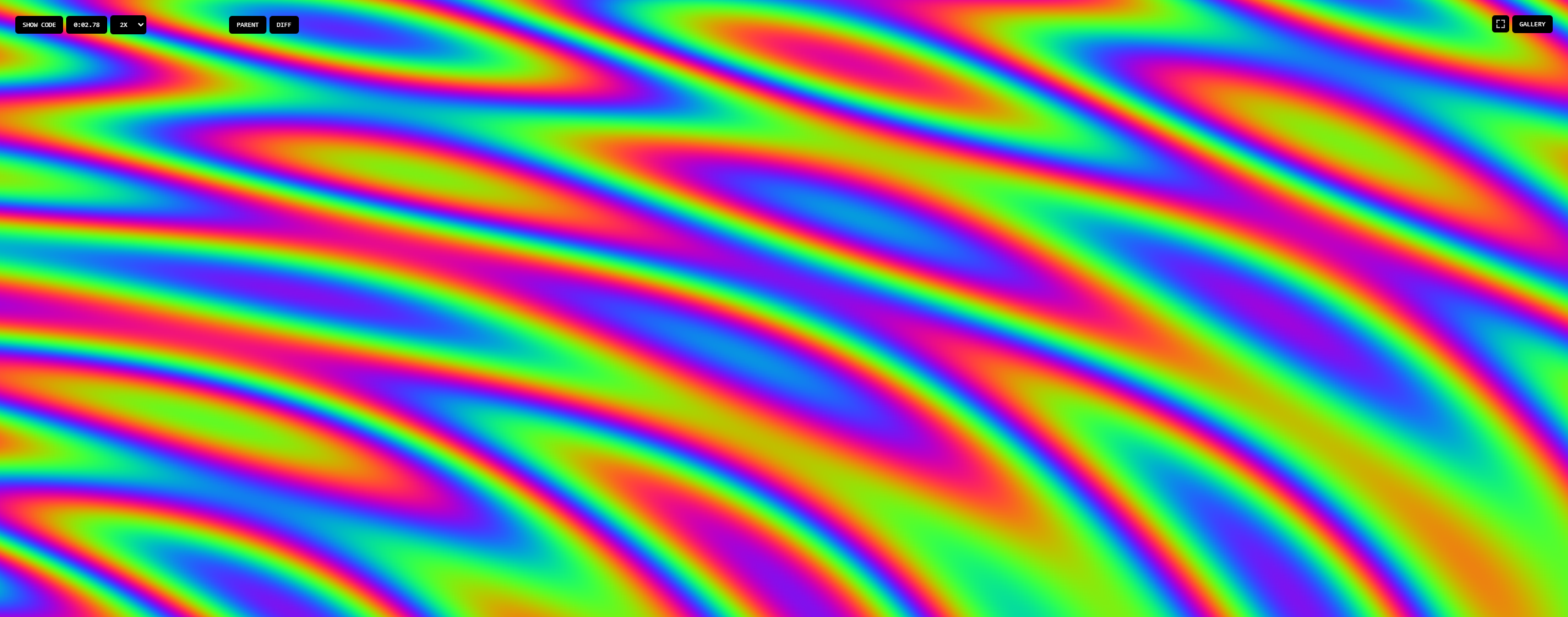
There was an issue when applying this as a material to an object. The shader was still calculating the colors in Screen Space which caused the object to act as a mask.
To solve this I had to dig into the shader code itself, but found a relatively easy fix.
What has to change? #
The original shader code had defined the position vector like this:
uniform vec2 resolution;
[...]
vec2 position = ( gl_FragCoord.xy / resolution.xy );
To convert this to Texture Coordinates — aka UVs — I had to change the position vector from a uniform to a varying.
varying vec2 vUv;
[...]
vec2 position = - 1.0 + 2.0 * vUv;
This should be all you need to change. Here's the simple vertext shader that I use for completeness:
varying vec2 vUv;
void main(){
  vUv = uv;
  gl_Position = projectionMatrix * modelViewMatrix * vec4(position, 1.0);
}
Result #
After figuring this out and changing the shader code, the ShaderMaterial worked perfecty and displayed the shader in the right perspective as if it were a 2D mapped texture — because it kinda is at this point now —.
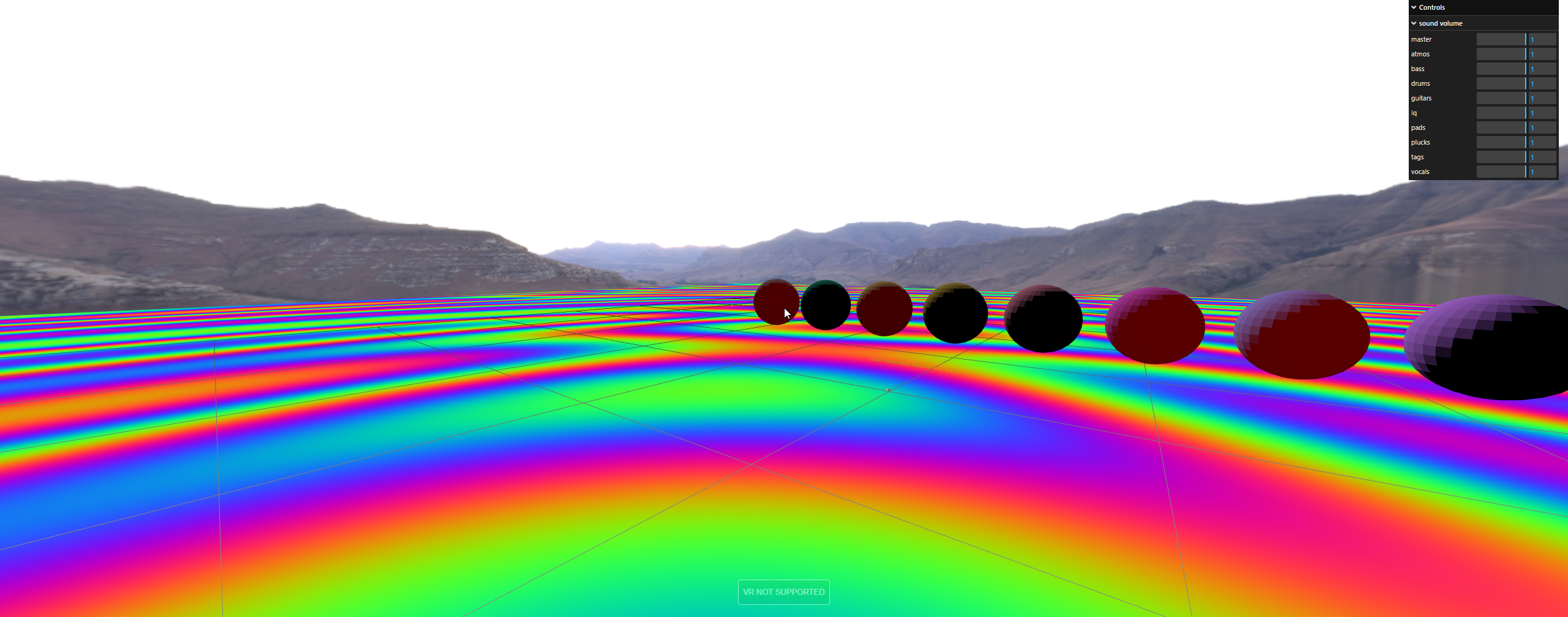
Hope this can help someone else out there who has the same exact issue as me. I didn't find an immediate answer when looking online so I hope to provide at least one result.
That's it for this one, see you in the next!