HDRI's
As you might have noticed in the last blog post, I have imported a HDRI map into the scene.
A HDRI map is a high-definition image that is used to simulate the lighting of the scene, but in this case I also use it to display the environment and for reflections on shiny surfaces.
I wanted a mountain range in the background with a starry night. Sadly this doesn't exist as a HDRI map as far as I could find, so instead I chose this one which was pretty close: Kiara 9 Dusk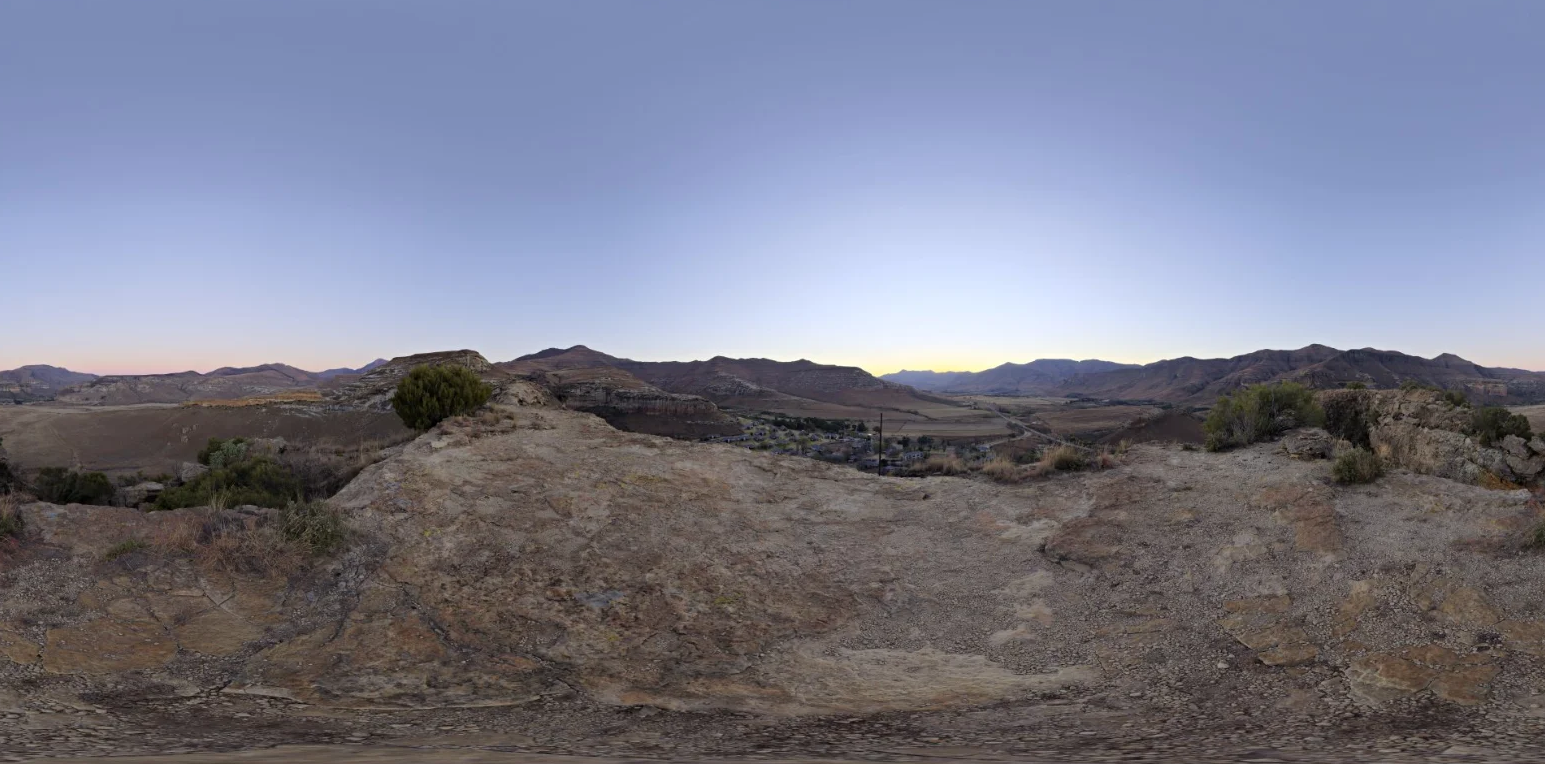
All HDRI's on Poly Haven are released under the CC0 license, so you can use them for any purpose. Thank you Greg Zaal for sharing this wonderful HDRI!
Back to the code then. Again, the first place I look when I need to implement something new is the Three.js docs for HDRI's. This time though, a quick search for "HDRI" did not yield any results. So I went on to see if there were any examples, and there were. This one on env maps is a good one. I checked out the code and discovered that it's actually really easy to load an HDRI map into a Three.js scene.
You start off by creating a normal texture loader and load your HDRI into it. Then, depending on the type of mapping you have (spherical, cube or equirectangular), you set the mapping to the right type.
Finally you set the scene background to this texture and that's it! Here's the code I used:
const textureLoader = new THREE.TextureLoader();
textureEquirec = textureLoader.load("textures/hdri-edited.png");
textureEquirec.mapping = THREE.EquirectangularReflectionMapping;
scene.background = textureEquirec;
As you can see this is pretty simple to implement.
I thought I would run into issues when editing the 32 bit image, however this seems fine so far. I'm gonna edit the HDRI a bit more so the mountains are dark and replace the sky with some stars. Look out for a post on that soon!